

Hey there! As a supplier of Ci Flexo Printing Machines, I've seen firsthand how crucial it is to maintain these bad boys properly. A well - maintained machine not only ensures high - quality prints but also extends the lifespan of your investment. So, let's dive into some tips on how to keep your Ci Flexo Printing Machine in top - notch condition.
Regular Cleaning
Cleaning is the foundation of proper machine maintenance. You should clean your Ci Flexo Printing Machine after every job or at least daily if you're running multiple jobs. Start by removing any ink residues from the printing units. Ink can dry up and clog the anilox rollers and print heads, which will affect the print quality. Use a suitable ink solvent recommended by the machine manufacturer.
For the anilox rollers, a more thorough cleaning might be required. You can use a specialized anilox cleaner to remove stubborn ink and debris from the cells. Make sure to follow the instructions on the cleaner carefully. Also, don't forget to clean the doctor blades. These blades play a crucial role in metering the ink, and if they're dirty or damaged, it can lead to uneven ink distribution.
The impression cylinders and the central drum need to be kept clean as well. Wipe them down with a clean, lint - free cloth after each use. Any dust or debris on these surfaces can cause scratches, which will then transfer to the printed material.
Lubrication
Lubrication is another key aspect of maintaining your Ci Flexo Printing Machine. Different parts of the machine, such as bearings, gears, and chains, need proper lubrication to function smoothly. Check the machine's manual to find out which lubricants are recommended for each part.
Over - lubrication can be just as bad as under - lubrication. Too much lubricant can attract dust and debris, which can cause blockages and damage to the moving parts. On the other hand, insufficient lubrication can lead to increased friction, wear, and tear, and even overheating. So, make sure to apply the right amount of lubricant at the recommended intervals.
Inspection of Parts
Regularly inspect all the parts of your Ci Flexo Printing Machine for signs of wear and tear. Check the belts for cracks or fraying. A broken belt can cause the machine to malfunction and can even lead to more serious damage if not replaced in time.
The gears should also be inspected for any signs of damage. Look for chips, excessive wear, or misalignment. If you notice any issues with the gears, it's best to replace them as soon as possible.
The print heads are one of the most critical parts of the machine. Inspect them for clogs, leaks, or any other damage. A damaged print head can result in poor print quality, such as missing dots or streaks.
Alignment
Proper alignment is essential for high - quality printing. The print units, anilox rollers, and doctor blades need to be correctly aligned. Misalignment can cause issues like uneven ink distribution, registration problems, and poor print quality.
Use the alignment tools provided by the machine manufacturer to ensure that all parts are aligned correctly. If you're not sure how to perform the alignment, refer to the machine's manual or contact our technical support team. We're always here to help you out.
Software and Firmware Updates
In today's digital age, many Ci Flexo Printing Machines are equipped with advanced software and firmware. These updates are designed to improve the machine's performance, add new features, and fix any bugs.
Keep an eye on the manufacturer's website for any available software or firmware updates. Make sure to follow the installation instructions carefully. Updating the software and firmware can help your machine run more efficiently and produce better - quality prints.
Storage
If you need to store your Ci Flexo Printing Machine for an extended period, there are some important steps to take. First, clean the machine thoroughly to remove any ink, dust, or debris. Then, lubricate all the moving parts to prevent rust and corrosion.
Cover the machine with a protective cover to keep it from dust and moisture. Store the machine in a dry, cool place with a stable temperature. Avoid storing the machine in areas prone to extreme temperature changes or high humidity.
Training for Operators
Proper training for the machine operators is crucial. Operators should be familiar with the machine's functions, maintenance procedures, and safety protocols. We offer comprehensive training programs for our customers to ensure that their operators can use and maintain the Ci Flexo Printing Machines correctly.
A well - trained operator is more likely to notice any potential issues early on and take the necessary steps to prevent major problems. They can also perform routine maintenance tasks more effectively, which will save you time and money in the long run.

Troubleshooting
Even with proper maintenance, you might encounter some issues with your Ci Flexo Printing Machine from time to time. Here are some common problems and their possible solutions:
- Poor Print Quality: This could be due to clogged print heads, misaligned parts, or dirty anilox rollers. Check and clean the print heads, realign the parts, and clean the anilox rollers as needed.
- Ink Leaks: Ink leaks can be caused by damaged seals or loose connections. Inspect the seals and connections and replace or tighten them as necessary.
- Machine Not Starting: This could be due to a power issue, a blown fuse, or a software problem. Check the power supply, replace the fuse if needed, and try restarting the software.
If you're still having trouble troubleshooting the issue, don't hesitate to contact our technical support team. We have a team of experts who are ready to assist you.
Why Choose Our Ci Flexo Printing Machines
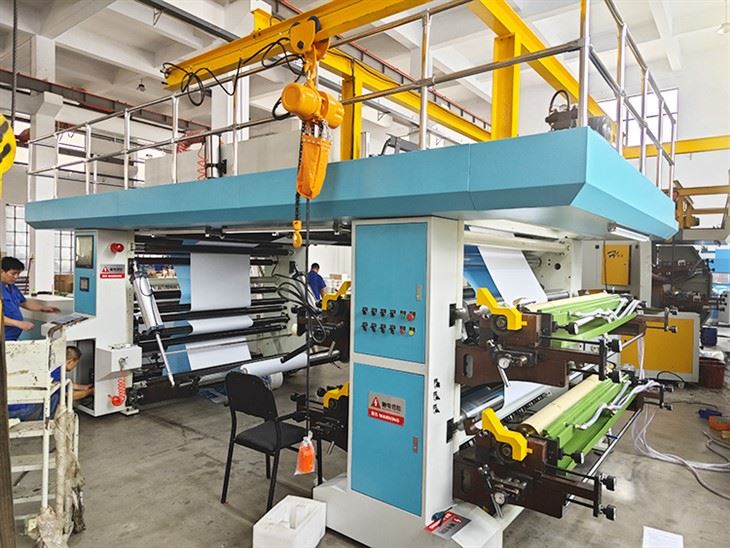
Our Ci Flexo Printing Machines are known for their high - quality performance, reliability, and durability. We offer a wide range of machines, including the Flexographic Printing Machine, the 4 Color CI Flexo Printing Machine, and the 4 Color Central Drum Flexo Printing Machine.
We also provide excellent after - sales service, including technical support, training, and spare parts supply. Our goal is to ensure that you get the most out of your investment in our machines.
If you're in the market for a Ci Flexo Printing Machine or need help with maintaining your existing machine, don't hesitate to get in touch with us. We're here to assist you with all your printing needs. Whether you're a small - scale printer or a large - scale production facility, we have the right machine and support for you.
References
- Manufacturer's manual for Ci Flexo Printing Machines
- Industry best practices for flexographic printing machine maintenance